Administration Standard for Telecommunications Infrastructure (ANSI/TIA-606-C)
Mandates comprehensive identification, labeling syntax, and administrative color-coding for all telecommunications pathways, horizontal/backbone cabling, patch panels, server racks, grounding busbars, and outside plant conduits across enterprise datacenters and commercial buildings. This engineering compliance guide details the mandated laboratory test procedures, authorized thermal transfer ribbons, and officially recognized Brady material combinations.
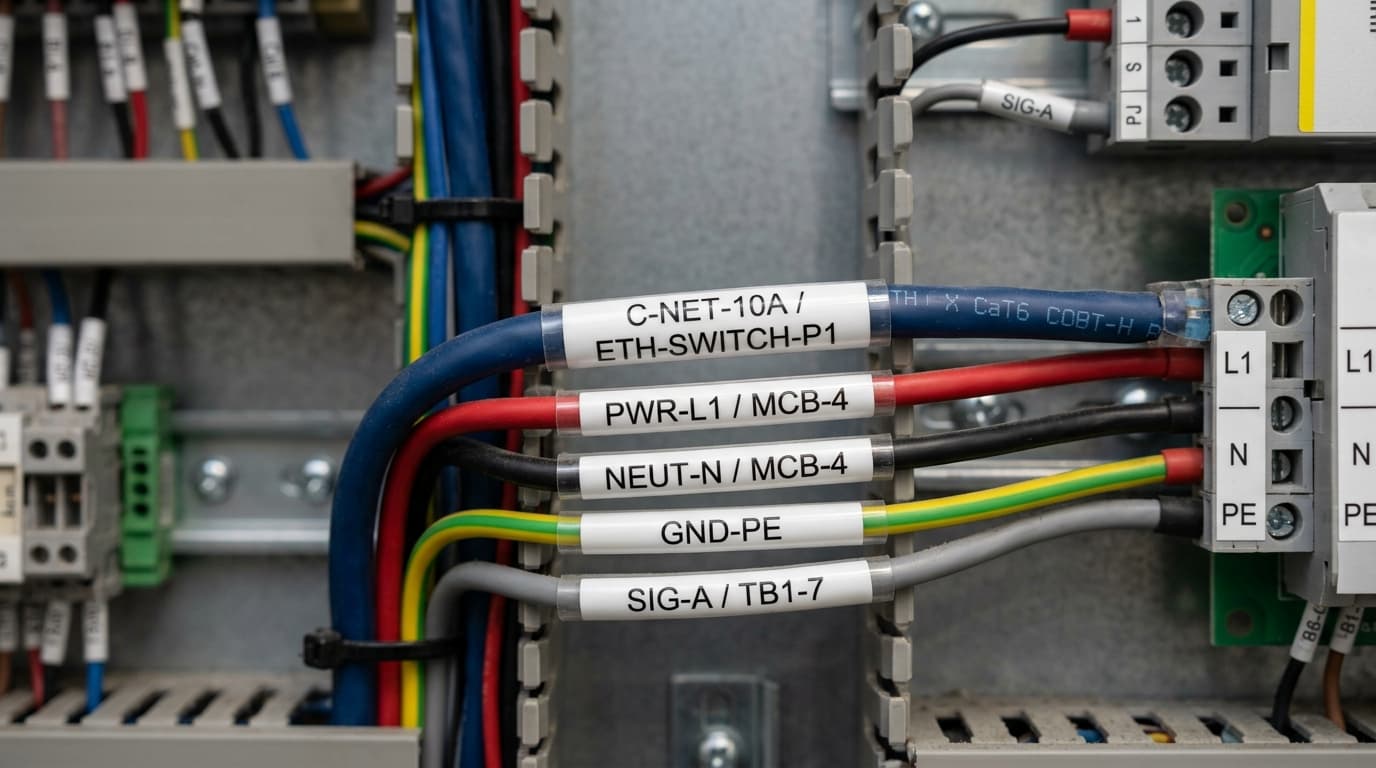
All labels must be machine-printed (handwritten labels strictly prohibited per Clause 5.1.2). Labels must meet UL 969 standards for legibility, adhesion, and permanence over the 20+ year expected lifecycle of the structured cabling plant. Cable markers must feature wrap-around self-laminating clear protection visible from multiple angles.
Certified Brady B-Number Materials for ANSI/TIA-606-C
Self-Laminating Vinyl Cable Wraps (Cat5e / Cat6 / Cat6A)
Industry standard for horizontal UTP/STP, fiber optic patch cords, and copper trunk cables. Clear tail wraps 360° to protect printed port IDs.
Conformable Nylon Cloth Patch Panel Labels
Engineered with zero memory for high-density 24/48-port patch panel bezels, 110 punchdown blocks, and modular faceplates.
All-Weather Color-Coded Indoor/Outdoor Vinyl
Available in all 9 TIA-606-C administrative colors (Orange, Green, Purple, White, Gray, Blue, Brown, Yellow, Red) for rack headers and TGB grounding busbars.
Certified Orderable SKUs for ANSI/TIA-606-C
Catalog part numbers, Grainger SKUs, roll dimensions, and list pricing.
Compliance & Quality Audit FAQs: ANSI/TIA-606-C
Agency certifications (UL 969, SAE-AS-81531, MIL-STD-202G) evaluate the complete printed system—the face stock, the adhesive, and the ink formulation. If an unapproved third-party ribbon is used, the print may fail solvent or eraser abrasion testing, voiding the certification and failing AS9100 / ISO audits.
Click through to any material profile page (e.g. B-342 or B-7642) and use the "Print Spec Sheet" button in the top right to generate a clean, PDF-ready engineering submittal package.