Barcode Label Engineering: DPI Math, Quiet Zones & Verification Grades
A barcode is a measurement target masquerading as a graphic. Whether it reads for twenty years is decided by four unglamorous engineering choices — module size versus printhead dots, symbol orientation, quiet zone discipline, and substrate optics — all locked in before the first label prints. Here is each one, with the math.
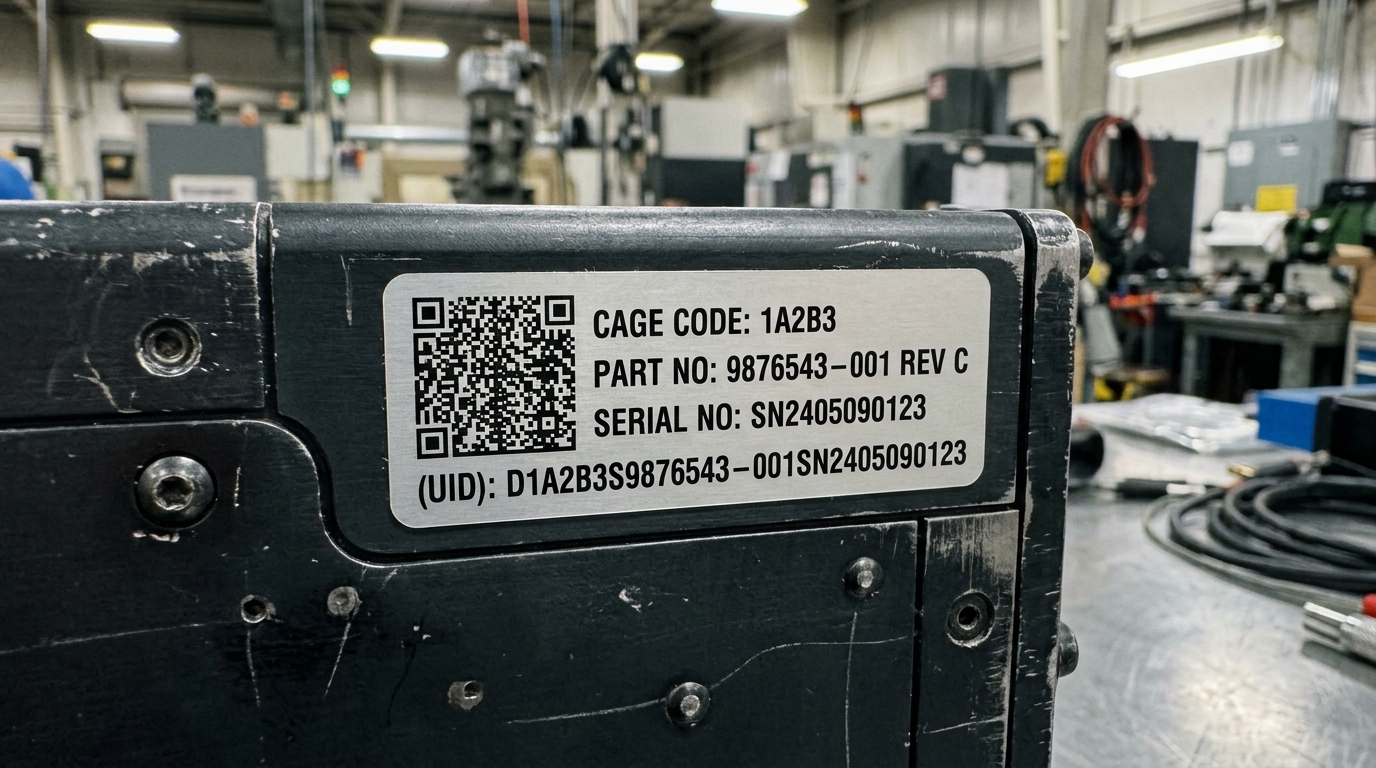
1. X-Dimension vs. Printhead DPI: Do the Dot Math First
The X-dimension — the narrowest bar or the 2D module size — must land on a whole number of printhead dots. Ask for a 6 mil module from a 203 dpi head (4.9 mil dots) and the firmware rounds each module to one or two dots, distorting the wide-to-narrow ratios that decoders depend on. The rule: choose the printer resolution from the smallest module you will ever print, not from the label size.
| Resolution | Dot Size | Practical Min X-Dim | Engine Class | Right For |
|---|---|---|---|---|
| 203 dpi | ≈ 4.9 mil dot | ≈ 10 mil practical minimum | Entry handhelds (M210 class) | Wire ID text, 100% size Code 128 on 1"+ labels |
| 300 dpi | ≈ 3.3 mil dot | ≈ 6.7–10 mil | M610/M710 handhelds, i3300 benchtop | General asset tags, rack labels, GS1-128 shipping |
| 600 dpi | ≈ 1.7 mil dot | ≈ 3.3–5 mil | i5100 / i7100 production engines | PCB Data Matrix, UID micro-marks, 5 mil module 2D |
Full engine specs for the i5100 and i7100 600 dpi production printers are on their printer pages.
2. Verification Grading: Measuring the Margin, Not the Read
ISO/IEC 15416 (linear) and 15415 (2D) grade a symbol A through F (4.0 down to 0) across measured parameters; the reported grade is the worst parameter — one weak link sets the score. Defense UID programs under MIL-STD-130 make minimum grades contractual, and commercial GS1 programs increasingly follow. What each parameter punishes:
| Graded Parameter | What It Measures | Typical Grade Killer |
|---|---|---|
| Symbol contrast | Reflectance difference between bars/modules and background | Metallized or tinted stocks, wrong ribbon energy |
| Modulation / defects | Uniformity of dark and light elements | Ribbon wrinkle, dusty printhead, voids from texture |
| Decodability | How much bar-width error budget remains | Fractional dots-per-module, ladder orientation at speed |
| Quiet zone | Clear margin before and after the symbol (10× X-dim for most linear codes) | Art crowding the code to save label width |
| Axial / grid nonuniformity (2D) | Geometric distortion of the module grid | Media slip, printing across a label perforation |
3. Substrate Optics: The Material Is Part of the Symbol
The scanner reads reflectance difference, and the "light" half of that equation is your label stock:
- Matte white polyester (B-488, -40°C to +160°C) is the grading-friendly default — diffuse reflection reads from wide angles with no specular flash.
- Gloss white polyester (B-423, UL 969 file MH17154) delivers maximum contrast and durability; manage the glare angle or spec a matte overlaminate when fixed-mount scanners read at shallow angles.
- Metallized polyester (B-428) trades symbol contrast for the nameplate aesthetic — verify before committing a compliance program to it.
- Ribbon pairing: full resin for anything wiped, handled, or outdoors — a scuffed wax print fails modulation grading long before it fails human eyes. See the ribbon compatibility chart.
Building an asset tracking program end to end?
The asset tracking portal covers the full stack — durable tag materials, tamper-evident options, and the serialization workflow around the barcode itself.